

BIR Form 1901: Filing Guide for Davao Freelancers
You’ve decided to go legit — whether you’re a freelance graphic designer in Matina, a licensed accountant in Calinan, or a virtual assistant working from home in Toril. Before you issue your first invoice, the Bureau of Internal Revenue (BIR) requires you to register using BIR Form 1901. This guide walks you through every step in plain language, with Davao-specific details on RDO 113/113A so you don’t end up in the wrong queue.
Who Needs to File BIR Form 1901?

BIR Form 1901 is for any individual who earns income outside of pure employment — freelancers, sole proprietors, licensed professionals, and mixed-income earners. If you only earn a salary from one employer, your HR department handles your registration through Form 1902 instead.
BIR Form 1901 is officially called the Application for Registration for Self-Employed (Single Proprietor/Professional), Mixed Income Individuals, Non-Resident Alien Engaged in Trade/Business, Estates and Trusts. In practical terms, it covers four types of filers:
- Purely self-employed individuals — freelancers, sole proprietors, online sellers, sari-sari store owners, or anyone running a business under their own name or a DTI-registered trade name.
- Licensed professionals — doctors, lawyers, engineers, CPAs, nurses, and other PRC-licensed practitioners, as well as non-licensed consultants and content creators.
- Mixed-income earners — employees who also freelance or run a side business. Your employer’s payroll withholding does not automatically cover your side income; you need Form 1901 to register that additional tax type.
- Estates and trusts — administrators registering with the BIR on behalf of an estate or trust.
Form 1901 vs. Form 1903: What’s the Difference?
A common point of confusion: Form 1901 is for individuals; Form 1903 is for non-individual entities. If you’re planning to incorporate or form a partnership, your company will register separately using Form 1903 after securing your SEC Certificate of Incorporation. As a sole proprietor or freelancer, you will always use Form 1901 — even if you have a DTI-registered business name. The rule is straightforward: if you are a natural person earning business or professional income, Form 1901 is your form.
A Note for Mixed-Income Earners
If you’re employed full-time at a BPO in Davao and also take on freelance projects on the side, you are a mixed-income earner. You already have a TIN from employment — do not apply for a second one, as holding multiple TINs carries criminal liability under the Tax Code. Instead, use Form 1901 to add your business or professional tax type to your existing TIN. The form includes specific taxpayer type checkboxes for this situation, such as Mixed Income Earner — Compensation Income Earner & Professional or Compensation Income Earner & Single Proprietor.
What to Prepare Before You Start

Getting your documents in order before you visit the RDO or open the ORUS portal will save you at least one extra trip. Incomplete submissions are rejected on the spot — so treat this checklist seriously.
Here is what you’ll need for a standard self-employed or professional registration:
- Two printed copies of BIR Form 1901 (January 2024 ENCS version — download from bir.gov.ph). Always use the latest version.
- Any valid government-issued ID showing your full name, address, and birthdate — PhilID, passport, driver’s license, or PRC ID. Bring the original and one photocopy.
- Proof of address — a barangay certificate, lease contract, or property title for your home or place of business.
- Mayor’s Permit or Business Permit from your Local Government Unit, or proof of pending application if it has not yet been released.
- DTI Certificate of Registration (if you are using a registered business name rather than your personal name).
- PRC ID (if you are a licensed professional such as a doctor, engineer, or CPA).
- ₱30 Documentary Stamp Tax (DST) — the only fee you need to pay at initial registration.
One important update: the ₱500 annual registration fee has been abolished under the Ease of Paying Taxes Act (Republic Act 11976), effective January 2024. You only pay the ₱30 DST once at initial registration. If anyone asks you to pay ₱500, do not pay it.
Step-by-Step: Filing Form 1901 via BIR ORUS
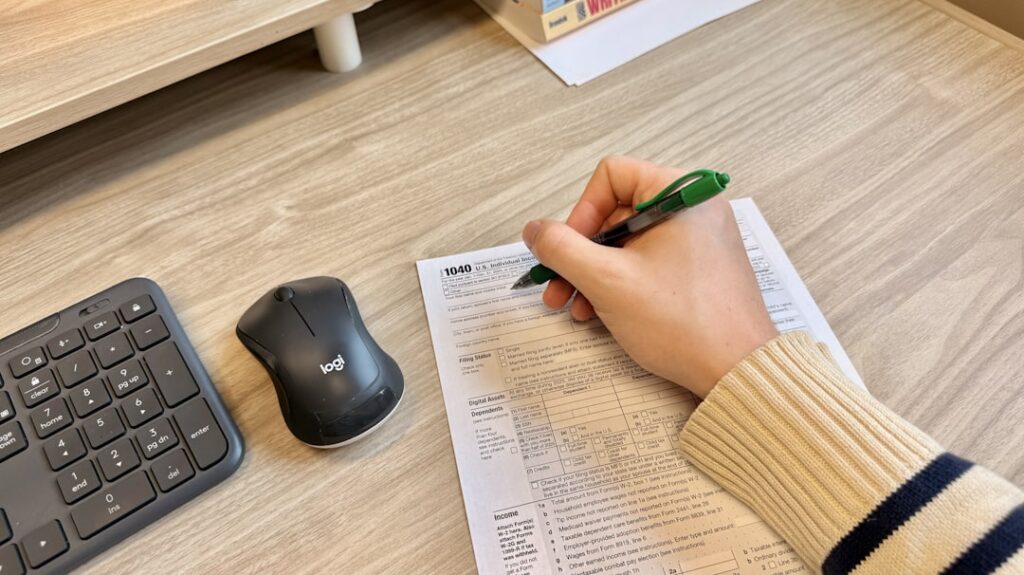
As of 2026, you can complete your entire BIR registration online through the BIR Online Registration and Update System (ORUS) at orus.bir.gov.ph — without lining up at the RDO. ORUS lets you complete the Form 1901 fields, upload documents, pay the DST, and receive your Certificate of Registration by email. Here’s how it works:
Step 1: Create Your ORUS Account
Go to orus.bir.gov.ph and click Create Account. Provide your personal details and a valid email address. Verify your email — you won’t be able to proceed without this step.
Step 2: Select “New Registration” and Choose Your Taxpayer Type
Once logged in, click New Registration and select Individual. You will then choose your taxpayer type. This is the most important decision on the form:
- Self-Employed Individual — for freelancers and sole proprietors whose work is not regulated by a specific government board (e.g., virtual assistants, online sellers, writers, general consultants).
- Professional — for careers licensed by the PRC (doctors, lawyers, engineers, nurses, CPAs). If you have a PRC ID, register as Professional.
- Mixed Income Earner — if you are also employed and receiving compensation income from an employer.
Step 3: Fill Out the Form 1901 Fields
ORUS will guide you through the Form 1901 fields digitally. A few boxes that matter most:
- Field 1 (PhilSys Number) — enter your PhilSys National ID number if you have one; leave blank if not.
- Field 3 (BIR Registration Date) — leave this blank. The BIR fills it in.
- Field 4 (Taxpayer Type) — mark the box that matches your situation exactly (see Step 2 above).
- Field 7 (Taxpayer’s Name) — use your full legal name in the order: Last Name, First Name, Middle Name, exactly as it appears on your PSA Birth Certificate.
- Registered Address — this must match the address of your RDO’s jurisdiction. For home-based freelancers in Davao, use your residential address. ORUS will auto-assign your RDO based on this address.
- Tax Type and Income Tax Regime — you will be asked whether you prefer the 8% flat income tax rate (available if your gross annual income is ₱3 million or below, as a substitute for both the graduated income tax and the 3% percentage tax) or the standard graduated income tax. This election is irrevocable for the taxable year, so think it through before clicking.
Step 4: Upload Your Documents
Scan or photograph your government ID, proof of address, and any other required documents (DTI certificate, PRC ID, etc.) and upload them directly in ORUS. Make sure photos are clear and legible — blurry uploads are a common cause of delays.
Step 5: Pay the ₱30 Documentary Stamp Tax
ORUS will direct you to pay the ₱30 DST through BIR’s e-payment channels — GCash and Maya are both accepted. Keep your payment confirmation screenshot; you will need to upload it back to ORUS.
Step 6: Submit and Wait for Your COR
Upload your payment confirmation, click Submit Application, and save the reference number from your confirmation message. Most online applications are processed within 1 to 3 business days. Once approved, ORUS will notify you by email. Log back in and download your electronic Certificate of Registration (COR) — BIR Form 2303. Print a copy and display it at your place of business.
Prefer to go in person? Walk-in registration at the RDO remains available for those who are not comfortable with the online process. Bring two printed copies of the accomplished Form 1901 along with all documentary requirements, and submit everything at the counter. In-person processing times vary by RDO.
Davao-Specific Notes: RDO 113A and 113B
Davao City is served by two Revenue District Offices, both located at Bolton Extension, Davao City, at the back of the BIR Regional Office Building. Knowing which one covers your address before you file will save you a wasted trip.
| RDO | Name | Districts / Areas Covered | Contact |
|---|---|---|---|
| 113A | West Davao City | Baguio, Calinan, Marilog, Talomo, Toril, Tugbok, and portions of Poblacion along Quirino Ave / J.P. Laurel Ave | (082) 221-7715 · rdo_113@bir.gov.ph |
| 113B | East Davao City | Agdao, Buhangin, Bunawan, Paguibato, Poblacion Districts A to D (areas not covered by 113A) | (082) 222-1833 · rdo_132css@bir.gov.ph |
A few practical notes for Davao filers:
- Home-based freelancers with no fixed office address register at the RDO covering their residential address. If you live in Toril, that’s RDO 113A. If you live in Buhangin, that’s RDO 113B.
- Freelancers working from co-working spaces (such as those in Damosa IT Park or around Ecoland) should use their home address if the co-working space is not a registered business address in their name.
- If you already have a TIN from a previous employer in Davao, your TIN is already assigned to one of these RDOs. Do not transfer your RDO just to file Form 1901 — file at your existing RDO and update your registration details there.
- Both offices are under Revenue Region 19 – Davao Region. Always verify current contact details and office hours directly at bir.gov.ph before visiting, as these can change.
Common Mistakes to Avoid
Most Form 1901 rejections and post-registration headaches come from a handful of predictable errors. Here’s what to watch out for:
1. Applying for a Second TIN
If you were previously employed and already have a TIN, do not apply for a new one when you start freelancing. Use your existing TIN and file Form 1901 to update your registration to include your business or professional income. Holding more than one TIN is illegal under the Tax Code and can result in penalties.
2. Ticking the Wrong Taxpayer Type Box
Marking “Self-Employed” when you are actually a mixed-income earner — or vice versa — will result in incorrect tax types being listed on your Certificate of Registration. This creates compliance problems down the line when you file your income tax return. Take time to read each taxpayer type option carefully before marking your box.
3. Registering at the Wrong RDO
Filing your Form 1901 at an RDO that doesn’t have jurisdiction over your address will cause your application to be returned or transferred — adding days or weeks to the process. For ORUS submissions, the system auto-assigns your RDO based on the address you enter, so make sure your address is accurate and complete, including barangay, city, and ZIP code.
4. Using an Outdated Form Version
The current version is the January 2024 (ENCS) version of BIR Form 1901. Older versions of the form are no longer accepted. Always download the latest version from bir.gov.ph rather than using a copy saved on your device from a previous year.
5. Filing After You’ve Already Started Earning
BIR rules require you to register before you start earning from any business or professional activity. Filing after the fact puts you at risk of BIR penalties for late registration. If you’ve already started, file immediately — the sooner you register, the smaller the exposure.
6. Skipping the Books of Accounts
Registration doesn’t end with Form 1901. After receiving your Certificate of Registration, you are required to register your books of accounts with the BIR. For most new freelancers, this means purchasing manual columnar books (available at National Bookstore or office supply shops for roughly ₱40–₱80 each) and having them stamped at your RDO. Books must be registered within 30 days of receiving your COR.
What Comes After Registration
Filing Form 1901 is the start, not the finish line. Once your registration is processed, here’s what happens next:
- You receive BIR Form 2303 (Certificate of Registration / COR) — this document lists your TIN, the tax types you are required to file, and your filing frequencies. Keep it displayed at your place of business. It is your most important tax document.
- Register your invoices — under the updated rules from RA 11976, the Invoice (Service Invoice or Sales Invoice) is now the primary sales document for freelancers and self-employed individuals. You need to apply for an Authority to Print (ATP) via ORUS or register BIR-printed invoices before you can legally bill clients.
- Register your books of accounts — as noted above, do this within 30 days of receiving your COR.
- Attend the initial taxpayer briefing — your RDO will schedule a new registrant briefing. This is a requirement, not optional. It covers your filing obligations, deadlines, and how to avoid common penalties.
- File your taxes on schedule — once registered, you must file returns on time even if you have zero sales for a period. Failing to file “zero returns” is one of the most common causes of BIR open cases for freelancers.
Your COR will specify which taxes apply to you — typically income tax (quarterly and annual), percentage tax or VAT, and possibly withholding tax if you hire staff. Review it carefully when you receive it. If any tax type looks incorrect, visit your RDO promptly to have it corrected using BIR Form 1905.
Navigating BIR compliance as a new freelancer or self-employed professional in Davao can feel overwhelming — but getting Form 1901 right is the foundation everything else builds on. If you need guidance from a local accountant or tax consultant who knows Davao’s RDOs inside and out, Davao Corporate connects you with verified professionals across the city. Browse our directory to find a tax consultant or accounting firm near you.
Frequently Asked Questions
Who needs to file BIR Form 1901 in the Philippines?
BIR Form 1901 must be filed by self-employed individuals, sole proprietors, licensed professionals, and mixed-income earners (employees who also freelance or run a business). It is also used by estates and trusts. Pure employees whose only income is a salary use Form 1902 instead, while corporations and partnerships use Form 1903.
How much does it cost to register using BIR Form 1901?
As of January 2024, under the Ease of Paying Taxes Act (RA 11976), the ₱500 annual registration fee has been abolished. The only fee for initial registration is a ₱30 Documentary Stamp Tax (DST), payable once at the time you first register.
Which Davao RDO should I file my BIR Form 1901 at?
Davao City has two RDOs. RDO 113A (West Davao City) covers Baguio, Calinan, Marilog, Talomo, Toril, and Tugbok districts. RDO 113B (East Davao City) covers Agdao, Buhangin, Bunawan, Paguibato, and Poblacion Districts A to D. Home-based freelancers should register at the RDO covering their residential address. Both offices are located at Bolton Extension, Davao City.
Can I file BIR Form 1901 online without going to the RDO?
Yes. As of 2026, you can complete the entire registration online through the BIR’s Online Registration and Update System (ORUS) at orus.bir.gov.ph. The system lets you fill out Form 1901, upload documents, pay the ₱30 DST via GCash or Maya, and receive your Certificate of Registration by email, typically within 1 to 3 business days.
I already have a TIN from a previous employer. Do I need a new one to freelance?
No. You must use your existing TIN — having more than one TIN is illegal under the Philippine Tax Code. Instead, file BIR Form 1901 to update your registration and add your business or professional tax type to your current TIN. If you are now a mixed-income earner, select the appropriate mixed-income taxpayer type on the form.